Bitcoinwallet.
Keep your BTC keys, review network fees and follow your Bitcoin payments from phone or desktop.
Download Freedom Wallet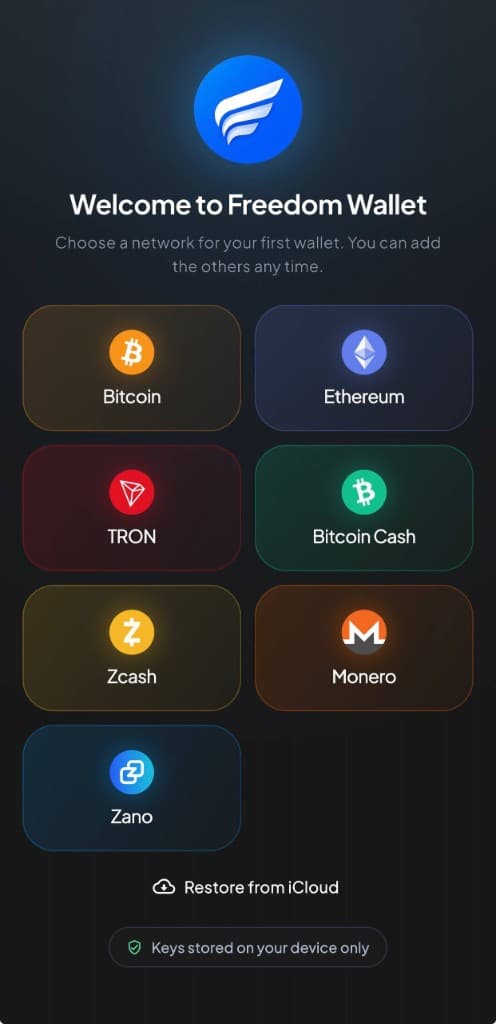
iPhone, Android, macOS, Windows & Linux
Network and fee detailsWhy Bitcoin?
Bitcoin lets you send BTC directly to another person, across town or across borders. The network operates around the clock, and recipients can use a different Bitcoin wallet from yours.
You can hold BTC with keys you control and settle payments on a public, independently verifiable network. A Bitcoin address is enough to receive a payment from someone who already has BTC.
In Freedom Wallet
Send BTC with the fee in view.
Create a Bitcoin wallet in Freedom Wallet or restore a compatible backup. Receive BTC through an address or QR code, check your transaction history and review the network fee before you send. Your Bitcoin wallet stays separate from the other networks in the app.
Bitcoin fees depend on transaction size and network demand, rather than simply the amount you send. A smaller payment can still cost a meaningful fee. Review the available fee choices and leave enough BTC to cover the payment and its fee.
- Bitcoin network
- These are native Bitcoin payments. Choose the Bitcoin network when withdrawing BTC; a token called BTC on another chain is not the same transfer.
- Confirmations
- Broadcasting a transaction is not confirmation. Follow its status in the wallet and wait for the recipient’s required confirmations.
- Mobile and desktop
- Use Bitcoin on iPhone, Android, macOS, Windows or Linux. The wallet connects to servers for blockchain data without storing a full Bitcoin node.
Before you send
Bitcoin’s ledger is public.
Addresses, amounts and transaction history are visible on-chain. Freedom Wallet gives you control of the keys; it does not make Bitcoin transfers anonymous. Think before posting an address publicly, and verify payment details on your own device.
Bitcoin privacy guidanceMake your first Bitcoin wallet
Select Bitcoin
Create a new BTC wallet or restore a compatible Bitcoin recovery phrase. Allow the wallet to find its transaction history.
Save the recovery phrase
Keep a private backup before moving funds. Never enter it into a website or send it to support.
Check the network and fee
Receive a small first payment on Bitcoin. Before sending, verify the destination and the total including the network fee.
Bitcoin questions
Is this an on-chain Bitcoin wallet?
Why can the Bitcoin fee change?
Can I receive Bitcoin Cash at my BTC address?
Is downloading the wallet free?
Get your Bitcoin wallet.
Download Freedom Wallet for your phone or computer. Free to download; network and provider fees may apply.