Bitcoin Cashwallet.
Send and receive native BCH on your phone, with a dedicated Bitcoin Cash wallet and clear payment review.
Get the mobile wallet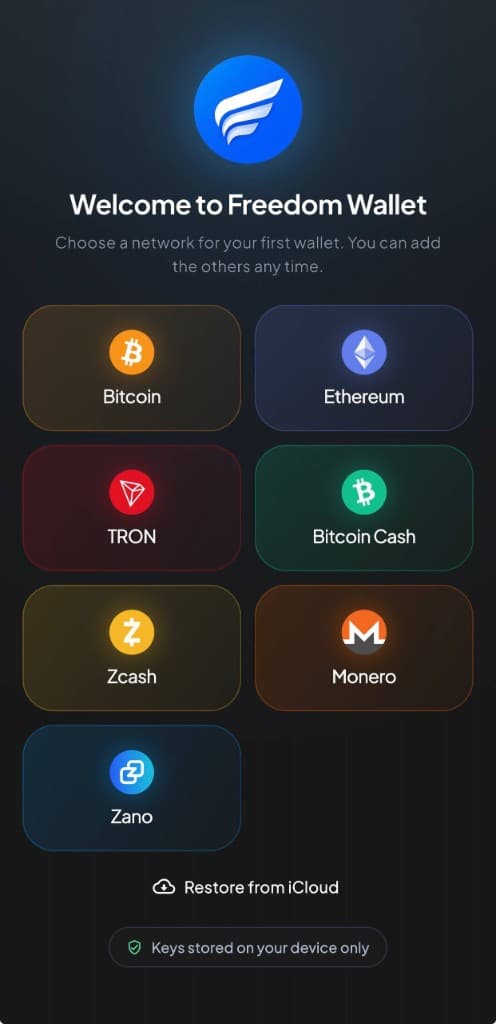
iPhone & Android
Mobile support and network detailsWhy Bitcoin Cash?
Bitcoin Cash is designed for everyday payments. Its focus on low network fees makes BCH useful for smaller purchases, tipping and sending money to friends.
Pay a merchant who accepts BCH or send to another Bitcoin Cash wallet using an address or QR code. The network operates around the clock, including for payments across borders.
In Freedom Wallet
A separate wallet for Bitcoin Cash.
Freedom Wallet supports creating, restoring, sending and receiving Bitcoin Cash on iPhone and Android. Its BCH wallet uses Bitcoin Cash addresses and follows the Bitcoin Cash chain, separately from your Bitcoin wallet.
Use the receive address or QR code from the BCH wallet when someone pays you. Before an exchange withdrawal, check both the asset and network. BCH must travel over Bitcoin Cash; selecting BTC changes which network and wallet are involved.
- CashAddr
- The wallet uses Bitcoin Cash’s CashAddr format. Copy the full receive address from the app and confirm the sender accepts it.
- BCH fees
- Network fees are paid in BCH. Check the fee and recipient before confirming; no payment is guaranteed to be free.
- Native BCH
- This page describes BCH coin payments. Freedom Wallet does not currently support managing CashTokens in its BCH wallet.
Before you send
A shared history does not make BTC and BCH interchangeable.
Bitcoin and Bitcoin Cash are separate networks. Check that a recipient asked for BCH before sending. Bitcoin Cash also has a public ledger: the wallet does not make its addresses, amounts or transaction history anonymous.
About the Bitcoin Cash networkReceive BCH with the right wallet
Choose Bitcoin Cash
Install the mobile app and select Bitcoin Cash. Create a new BCH wallet or restore a compatible backup.
Check the receiving network
Open Receive in the BCH wallet. If withdrawing from an exchange, select Bitcoin Cash and use that address.
Review a first payment
Start with an amount you are comfortable testing. Follow its confirmations and check the fee before sending BCH onward.
Bitcoin Cash questions
Which devices can I use for BCH?
Can I use the desktop app for BCH?
Does the BCH wallet support CashTokens?
Is a BCH payment private?
Get your Bitcoin Cash wallet.
Download Freedom Wallet for iPhone or Android. Free to download; network and provider fees may apply.
Bitcoin Cash is supported on mobile. The current desktop app does not include a Bitcoin Cash wallet.