TRONwallet.
Keep TRX and TRC-20 tokens such as USDT in a dedicated TRON wallet on your phone.
Get the mobile wallet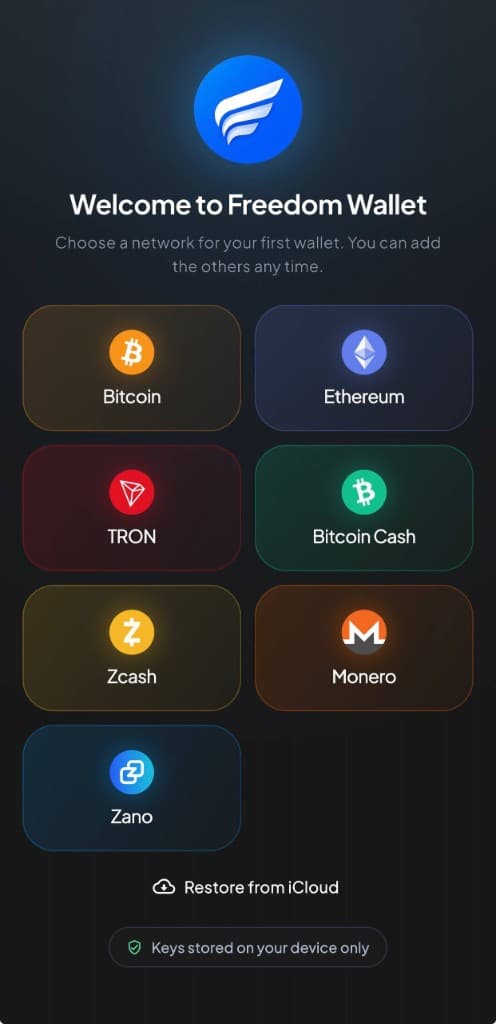
iPhone & Android
Mobile support and network detailsWhy TRON?
TRON is a practical choice for TRC-20 USDT payments. You can send the TRON version of USDT directly to people or services that accept it, while holding TRX and other TRC-20 tokens in the same account.
That makes it useful for regular transfers, settling an invoice in USDT or moving tokens between services that support TRON. TRX is the native coin that powers activity on the network.
In Freedom Wallet
Understand the cost of a TRON payment.
Create or restore a TRON wallet in Freedom Wallet for iPhone or Android. You can hold TRX, send and receive TRC-20 tokens such as USDT, add tokens and follow your transaction history.
TRON uses Bandwidth for transaction data and Energy for smart-contract execution. A TRC-20 transfer uses a contract, so its cost differs from an ordinary TRX payment. When available resources do not cover the operation, the network can charge TRX. Review the app’s estimate before each send.
- TRX for fees
- A USDT balance is not a substitute for TRX when a fee is needed. Keep enough TRX for the transaction the wallet is preparing.
- TRC-20 tokens
- Verify the token contract and select TRON on the sending side. ERC-20 USDT on Ethereum is a different network transfer.
- Mobile dApps
- The mobile app includes a TRON dApp browser. Read connection and transaction requests before approving them; a connection is not an endorsement of a site.
Before you send
TRON payments are publicly visible.
TRX and ordinary TRC-20 transactions appear on TRON’s public ledger. Freedom Wallet does not make them anonymous or guarantee free transfers. Resource availability and contract execution affect the final cost.
TRON Bandwidth and Energy explainedGet your TRON wallet ready
Select TRON on mobile
Download the iPhone or Android app and create a TRON wallet, or restore a compatible TRON backup.
Receive on TRON
Use the address from the TRON wallet. Check that an exchange or sender has selected TRON for TRX or TRC-20 tokens.
Review the resource cost
Before sending, check the fee estimate and available TRX. Confirm the recipient and contract before approving a token transfer.
TRON questions
Can I use USDT on TRON?
Are TRON transfers free?
Is the TRON wallet available on desktop?
Can I send ERC-20 USDT to this wallet?
Get your TRON wallet.
Download Freedom Wallet for iPhone or Android. Free to download; network and provider fees may apply.
TRON is supported on mobile. The current desktop app does not include a TRON wallet.