Zano & fUSDwallet.
Keep ZANO and Freedom Dollar together, with confidential transactions and the keys in your hands.
Download Freedom Wallet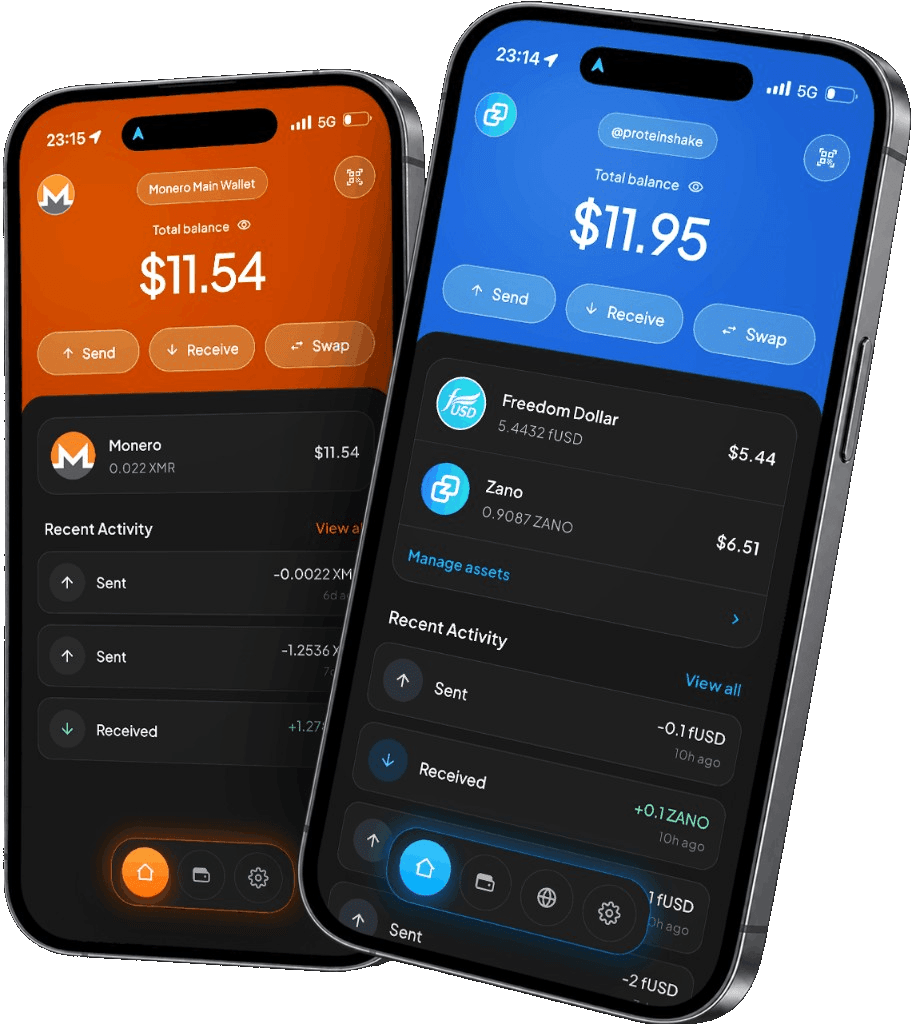
iPhone, Android, macOS, Windows & Linux
Network and fee detailsWhy Zano & fUSD?
Zano keeps payment amounts, recipients and asset types confidential on-chain. ZANO is the network’s native coin: use it for private payments and to pay the fees that keep transactions moving.
Freedom Dollar (fUSD) adds a stablecoin to that same network. It inherits Zano’s confidential-asset privacy, making it useful for paying an invoice or sending money to someone who accepts fUSD.
In Freedom Wallet
Two assets. One Zano address.
Your Zano wallet in Freedom Wallet can receive both fUSD and ZANO at the same address. Choose the asset you intend to send and check it again on the confirmation screen.
Freedom Wallet connects to a remote node instead of downloading the full Zano blockchain. You can create a wallet, restore an existing one and follow your balance and transaction history on mobile or desktop. A restore still needs time to scan for your transactions.
Explore desktop payroll- Network fees
- Keep some ZANO available for fees, including when you send fUSD. An fUSD balance alone does not cover the network fee.
- Confidential assets
- Zano hides transaction amounts, recipients and asset types on-chain. A payment recipient or a service you use may still have information about you.
- Desktop payroll
- Prepare payments to a team in fUSD with the desktop payroll feature. Payroll is not a mobile feature.
Before you send
Check the asset, as well as the address.
Receive native ZANO or fUSD over the Zano network. Tokens on Ethereum or TRON need a compatible swap or bridge route; sending them to a Zano address does not convert them. Review the provider, rate, fees and destination before using any route offered in the app.
How Zano confidential assets workSet up your Zano wallet
Choose Zano
Install Freedom Wallet for your device, choose Zano and create a wallet or restore a compatible Zano backup.
Back up the wallet
Save its recovery phrase somewhere private. Both ZANO and fUSD in this wallet depend on that backup.
Receive your first payment
Open Receive and share the address or QR code. Confirm the sender is using Zano, then wait for the payment to confirm.
Zano & fUSD questions
Are ZANO and fUSD the same asset?
Can I use fUSD on my phone?
Can I swap ZANO and fUSD?
Can I use private payroll on mobile?
Get your Zano & fUSD wallet.
Download Freedom Wallet for your phone or computer. Free to download; network and provider fees may apply.